
Your Property Worklist
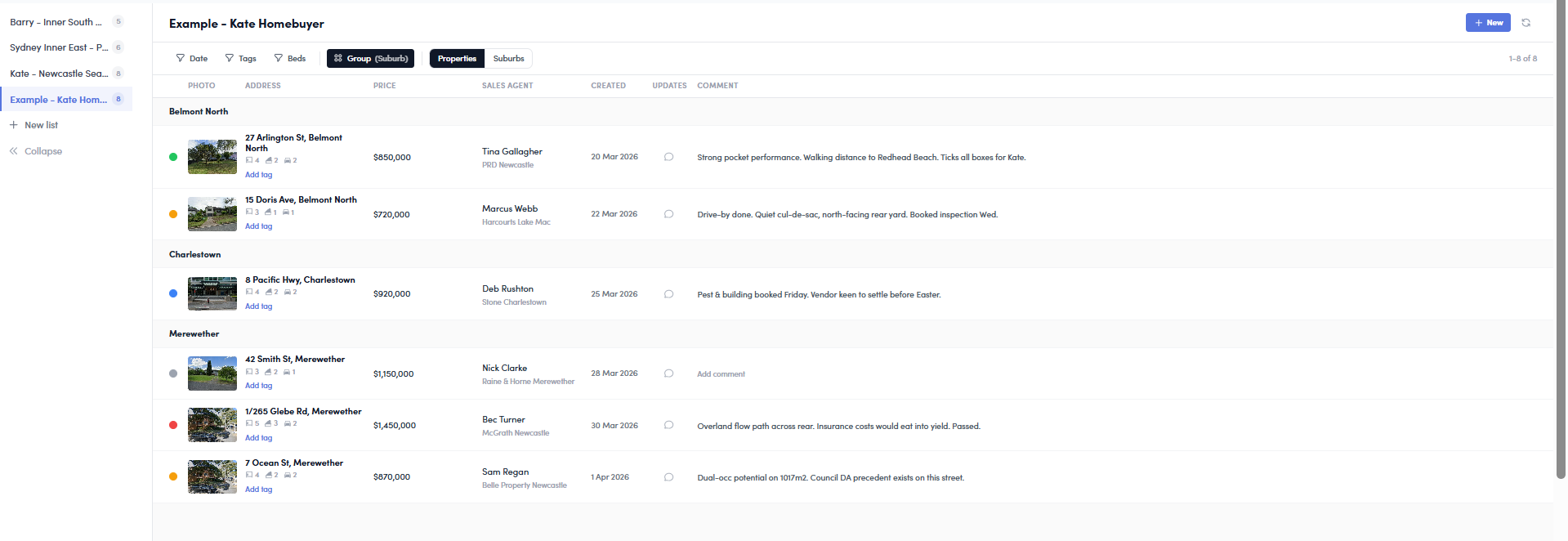
Save properties and suburbs from reports, track your pipeline, add notes, and manage your shortlists — all in one place.
Save from Reports
One click to save any property or suburb from a report page to your shortlist. Beds, baths, price — all captured automatically.
Per-Section Notes
Annotate any section of a report — risks, market, demographics. Your notes show up in the worklist comments panel.
Track Your Pipeline
Move properties through stages — considering, inspecting, due diligence, approved, or rejected. Group by suburb or status.
How it works
Browse reports — open any property or suburb report on Microburbs.
Save to list — click "Save to List" and pick or create a list. Add a comment if you want.
Manage in Worklist — view all your saved items, filter by date or bedrooms, update statuses, and leave comments.
Ready to organise your property search?
Available on all paid plans. Start with Essentials for full worklist access.
View Plans